


A simple sky blue backdrop changes the whole look of your model railroad. It makes your railroad immediately appear more realistic and expansive. Although it’s fairly easy to paint hills and general landforms on the backdrop, buildings are a lot harder to paint. One easy solution is to print photographs of appropriate buildings in the right size, cut them out along the edge of the building, and glue them to the backdrop.
Some helpful tips include:
- If printing on your home printer, use the “permanent” version of the printer ink so it doesn’t fade. Cheap, standard dyes will change color or fade in as little as two or three years (usually the reds change to orange first). Matte surface paper will make a more realistic looking final building.
- If your send the file off for a photographic print, you’ll want to spray the front of the print with matte surface photo-grade lacquer before handling it much or cutting it out. The photo lacquer will prevent damage from fingerprints and water, and the dead matte finish will add to the realism of the print on the backdrop. Don’t use normal spray lacquers (like Dulcote) as they will immediately ruin the print. The matte finish lacquer you want will specifically state it is for photographs. It is available at better-stocked art supply or camera shops.
- An X-Acto knife with a new, sharp blade and a steel-edged ruler make cutting out the building easier.
- Spray adhesives allow you to quickly cover the entire back of the print with glue. They also make sure the glue goes to the very edges of the print (important to keeping it from peeling away from the backdrop), and give a thin enough coating to so it doesn’t ooze out when pressed on the painted backdrop. Put the print face down on some color-printed ads from your Sunday newspaper (the ink usually doesn’t rub off those ads) before you spray the back. Make sure to get spray adhesive that says “non-acid” or for photographs or art (so it doesn’t cause the print to run or change colors).
Click to load a larger, more detailed, preview version. Save the HO or N scale version (right click your mouse on the “HO Scale” or “N Scale” link and select “Save Target As”) and print it on your color printer for your background scene.
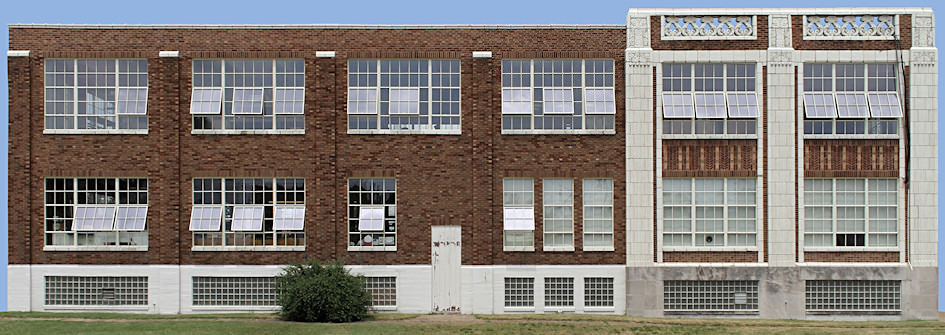
Skinker Warehouse Showroom Side, Wellston (St. Louis), Missouri
Skinker Warehouse Showroom Side, Wellston (St. Louis), Missouri
HO scale, 11.4″ wide, 300 dpi, 3426×1215, 1.05MB
N scale, 6.2″ wide, 300 dpi, 1861×660, 385KB
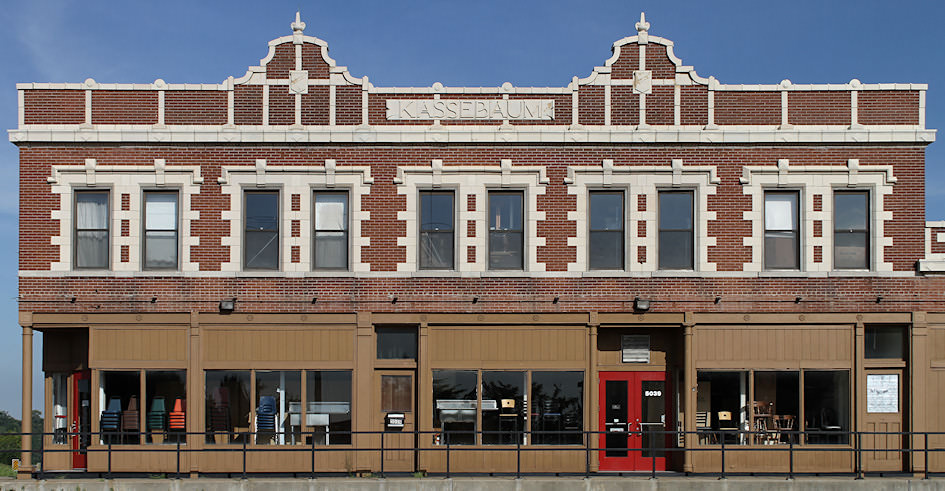
Retail Showroom Front w/Railing, Oakville, Missouri
Retail Showroom Front w/Railing, Oakville, Missouri
HO scale, 8.8″ wide, 300 dpi, 2640×1371, 805KB
N scale, 4.8″ wide, 300 dpi, 1437×746, 321KB
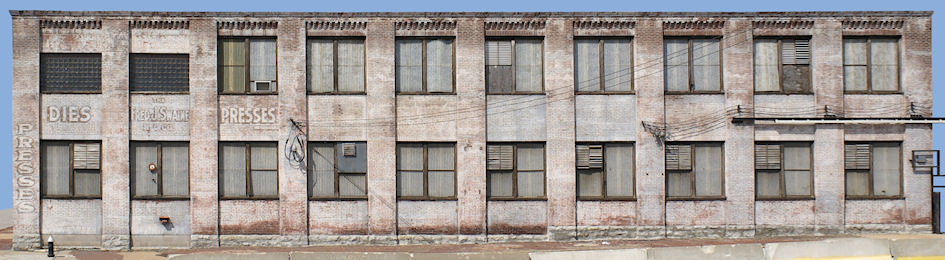
Press & Die Side, Downtown St. Louis, Missouri
Press & Die Side, Downtown St. Louis, Missouri
HO scale, 14.2″ wide, 250 dpi, 3571×981, 816KB
N scale, 7.7″ wide, 300 dpi, 2297×631, 423KB
Photographs copyright Richard Schumacher. Reproduction is granted for personal use only, all commercial rights are reserved.


